#conversiontracking

Advanced Excel Course in Ameerpet: Skills, Syllabus, and Career Benefits

Advanced Excel Course in Ameerpet: Skills, Syllabus, and Career Benefits
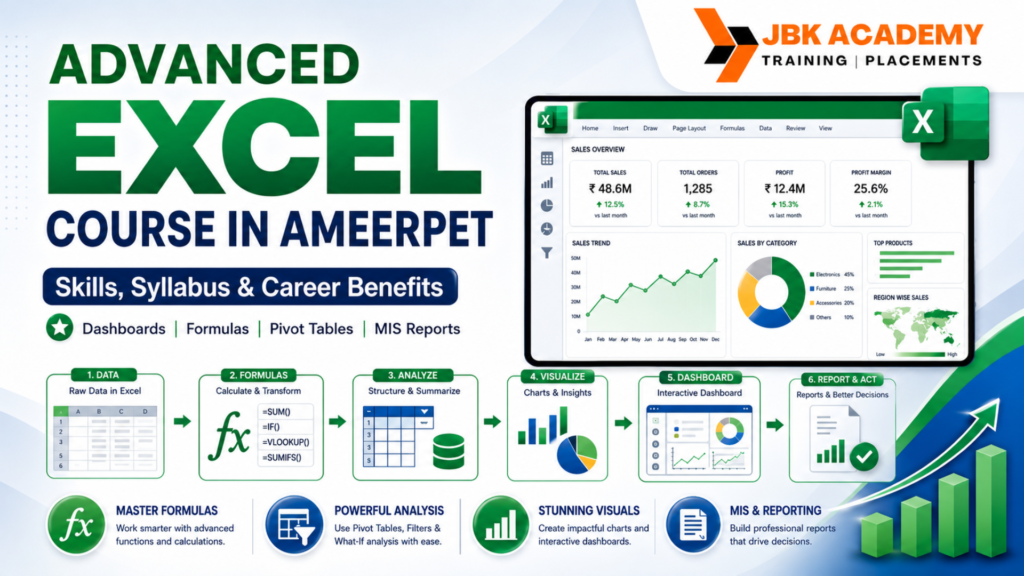
Advanced Excel is one of the most useful job skills for students, freshers, accountants, office staff, MIS executives, business owners, and working professionals. Many companies use Excel every day for reports, accounting data, sales tracking, attendance, inventory, dashboards, salary sheets, and business analysis. That is why taking an Advanced Excel course in Ameerpet can help learners build practical, career-ready skills. At JBK Academy, Ameerpet, students can learn Excel from basic to advanced level with practical examples, assignments, and real-time reporting tasks. This course is useful for learners who want to improve their confidence in formulas, functions, pivot tables, charts, dashboards, data cleaning, and MIS reporting. If you are looking for an Advanced Excel training institute in Hyderabad, this guide will help you understand the skills you can learn, the syllabus covered, who can join, and the career benefits of Advanced Excel training.

Why Advanced Excel Is Important for Career Growth

Excel is not just a spreadsheet tool. It is a daily office productivity tool used in almost every industry. Whether you work in accounting, finance, HR, admin, sales, operations, logistics, education, or business management, Excel helps you organize data and prepare reports faster. Many job roles require candidates to handle data, clean records, use formulas, prepare summaries, create reports, and present information clearly. Advanced Excel helps learners reduce manual work and improve accuracy. For example, an accountant may use Excel to prepare GST data, ledgers, payment tracking, expense records, and invoice summaries. An MIS executive may use Excel to prepare sales, employee, dashboard, and performance summary reports. A business owner may use Excel to track income, expenses, leads, stock, and customer details. This is why an Excel course for accounting, office jobs, MIS reporting, and business work is highly useful for students and professionals.

Who Can Join the Advanced Excel Course in Ameerpet?

The Advanced Excel course in Ameerpet is suitable for learners from different educational and professional backgrounds. You do not need a technical background to learn Excel. Anyone who works with data, numbers, reports, or office documents can learn it.

This course is useful for:

B.Com students
Degree students
MBA students
Commerce graduates
Accounting learners
Job seekers
Freshers
Office staff
HR executives
Admin executives
Sales professionals
MIS executives
Business owners
Working professionals
Career gap candidates
Freelancers

Students who are planning for accounting, finance, data entry, MIS, office executive, HR, admin, or business operations jobs can benefit from Advanced Excel training.

Skills You Learn in Advanced Excel

Advanced Excel training helps learners move from simple spreadsheet usage to professional reporting and data handling. The course usually starts with basic Excel concepts and then moves on to advanced formulas, tools, reports, dashboards, and automation basics.
 

1. Excel Basics and Spreadsheet Handling

Before learning advanced tools, students must understand the Excel interface, rows, columns, cells, sheets, workbooks, formatting, data entry, saving files, and basic calculations. This foundation helps learners work comfortably with Excel.
Students learn how to create tables, format data, freeze panes, sort records, filter data, use basic formulas, and prepare simple reports.
 

2. Formulas and Functions

Formulas are the heart of Excel. They help users calculate values, compare records, summarize data, and automate repetitive calculations.
In Advanced Excel training, students learn formulas such as:
SUM
AVERAGE
COUNT
MAX
MIN
IF
SUMIF
COUNTIF
VLOOKUP
HLOOKUP
XLOOKUP
INDEX
MATCH
LEFT
RIGHT
MID
LEN
TRIM
CONCAT
TEXT
DATE functions
 
These formulas are useful for accounting reports, salary sheets, marksheets, sales reports, attendance records, customer data, and business summaries.
 

3. Logical Functions

Logical functions help users make decisions inside Excel. For example, Excel can automatically identify pass/fail, profit/loss, paid/pending, eligible/not eligible, and target achieved/not achieved.
Important logical functions include IF, AND, OR, nested IF, IFERROR, and conditional formulas. These are very useful in office reporting and MIS work.
 

4. Lookup Functions

Lookup functions help users search and fetch data from large tables. In many companies, employees work with huge data files. Lookup functions help them find matching records quickly.
VLOOKUP, HLOOKUP, XLOOKUP, INDEX, and MATCH are commonly used in business reports, accounting records, employee data, inventory sheets, and customer databases.
 

5. Data Cleaning

Raw data is often messy. It may contain duplicate records, extra spaces, incorrect formats, missing values, spelling differences, or mixed data types. Advanced Excel helps learners clean and organize data professionally.
Students learn how to remove duplicates, split data, combine columns, trim spaces, use text functions, change formats, and prepare clean reports.
Data cleaning is especially important for MIS Excel course learners, accounting teams, marketing teams, and business reporting roles.

Advanced Excel Syllabus

A structured Advanced Excel syllabus helps students learn step by step. At JBK Academy, Ameerpet, the course can be taught with practical examples so that learners understand how Excel is used in real office work.
  • Advanced Lookup Functions (INDEX-MATCH, XLOOKUP)
  • Database Functions (DSUM, DAVERAGE, DCOUNT, etc.)
  • Array Formulas and Dynamic Arrays
  • Financial Functions (IRR, NPV, FV, PMT)
  • Statistical Functions (COUNTIFS, SUMIFS, AVERAGEIFS)
  • Text Functions for Data Cleansing and Manipulation
  • Advanced PivotTable Techniques (Calculated Fields, Slicers, Timelines)
  • Power Pivot and Data Model Introduction
  • Power Query for Data Transformation and Cleansing
  • Data Analysis with Power BI Integration
  • Advanced Filtering and Sorting Techniques
  • Dynamic Named Ranges and Data Validation
  • Advanced Chart Types (Combo Charts, Radar Charts, Histograms)
  • Creating Dynamic Dashboards with Interactive Charts
  • Advanced Chart Formatting and Customization
  • Sparklines and Data Bars for Visual Insights
  • Using Maps and 3D Visualizations
  • Chart Automation with VBA
  • Introduction to VBA Programming Environment
  • VBA Syntax, Variables, and Data Types
  • Control Structures (Loops, Conditions)
  • Automating Tasks with VBA Macros
  • User Forms and Advanced Controls
  • Error Handling and Debugging Techniques
  • Goal Seek and Solver for Optimization
  • Scenario Manager for What-If Analysis
  • Monte Carlo Simulation with Excel
  • Advanced Statistical Analysis with Excel
  • Sensitivity Analysis and Scenario Analysis
  • Advanced Financial Modeling Techniques
  • Importing and Exporting Data from External Sources
  • Linking Excel with SQL Databases
  • Automating Data Refresh and Updates
  • Excel Add-Ins for Enhanced Functionality
  • Building Custom Functions with VBA
  • Integrating Excel with Other Office Applications
  • Collaborative Work with Excel Online and SharePoint
  • Tracking Changes and Managing Versions
  • Advanced Security Features (Encryption, Digital Signatures)
  • Protecting Workbooks, Worksheets, and Cells
  • Advanced Sharing and Access Control Techniques
  • Solving Real-world Business Problems with Excel
  • Capstone Projects: Developing Excel-Based Solutions
  • Advanced Financial Modeling Case Studies
  • Custom Solutions for Data Analysis and Reporting
  • Presenting Insights and Recommendations
  • Productivity Hacks for Excel Power Users
  • Advanced Excel Shortcuts and Techniques
  • Excel Best Practices for Efficiency and Accuracy
  • Troubleshooting and Problem-solving Strategies
  • Customizing Excel Environment for Maximum Productivity
  • Comprehensive Review of Course Material
  • Final Exam or Project Presentation
  • Certification of Advanced Excel Mastery

Career Benefits of an Advanced Excel CourseCourse

Learning Advanced Excel gives students many career benefits. It improves employability and helps working professionals perform better in their current jobs.

1. Better Job Opportunities

Many job roles ask for Excel knowledge. Candidates with Advanced Excel skills can apply for office, accounting, MIS, admin, HR, sales support, and reporting jobs.
 

2. Useful for Accounting Careers

Accounting jobs require regular data handling. Excel helps with ledgers, payment records, invoices, expenses, GST data, and financial summaries. That is why an Excel course for accounting is useful for commerce students and accounting professionals.
 

3. Strong MIS Reporting Skills

MIS executives need Excel for reports, dashboards, summaries, and business data tracking. Advanced Excel helps students prepare professional MIS reports faster.
 

4. Improves Productivity

Excel formulas, pivot tables, and templates reduce manual work. Employees can complete reports quickly and accurately.
 

5. Helps in Business Management

Business owners can use Excel to track sales, expenses, stock, customer lists, leads, and payment records.
 

6. Supports Data Analysis Learning

Advanced Excel is also a good starting point for learners who want to move into data analytics, Power BI, or business reporting.

Why Choose JBK Academy for the Advanced Excel Course in Ameerpet?

JBK Academy provides practical training for learners who want to build job-ready Excel skills. The course is useful for students, freshers, job seekers, and working professionals who want to improve office productivity and reporting knowledge. Students can learn Excel through practical examples, assignments, and real-time reporting tasks. The training focuses on formulas, pivot tables, charts, dashboards, MIS reports, accounting data, and business reports.

If you are searching for an Advanced Excel training institute in Hyderabad, JBK Academy Ameerpet can help you understand Excel in a structured, practical way.

FAQs on Advanced Excel Course in Ameerpet

What is Advanced Excel?

Advanced Excel is the professional use of Excel tools, including formulas, functions, pivot tables, charts, dashboards, data cleaning, data validation, and MIS reports.
 

Who can join the Advanced Excel course in Ameerpet?

Students, freshers, accountants, office staff, MIS executives, HR professionals, business owners, and working professionals can join this course.
 

Is Advanced Excel useful for accounting jobs?

Yes, Advanced Excel is very useful for accounting jobs because it helps with ledgers, invoices, expenses, GST data, payment tracking, and financial reports.
 

What is the MIS Excel course?

The MIS Excel course focuses on preparing management reports, dashboards, summaries, sales reports, attendance reports, and performance reports using Excel.
 

Do I need a computer background to learn Advanced Excel?

No, Advanced Excel can be learned by beginners. Basic computer knowledge is enough to start.
 

What jobs can I apply for after Advanced Excel?

You can apply for roles such as MIS Executive, Accounts Assistant, Office Executive, Data Entry Executive, HR Assistant, Admin Executive, Sales Coordinator, and Reporting Executive.
 

Is Advanced Excel useful for business owners?

Yes, business owners can use Excel for tracking sales, expenses, inventory, leads, customer details, and payment records.

Conclusion

An Advanced Excel course in Ameerpet is a smart choice for students and professionals who want to improve their office, accounting, reporting, and data-handling skills. Excel is used in almost every company, making it one of the most practical skills for career growth. By learning formulas, pivot tables, dashboards, data cleaning, MIS reports, and accounting-related Excel tasks, learners can become more confident and job-ready. JBK Academy Ameerpet offers practical Advanced Excel training for learners looking to build strong workplace skills and enhance career opportunities.