
Why MS Office Skills Are Important for Freshers and Office Jobs
Why MS Office Skills Are Important for Freshers and Office Jobs For freshers entering the job market, technical skills are important, but not every useful
 Skip to content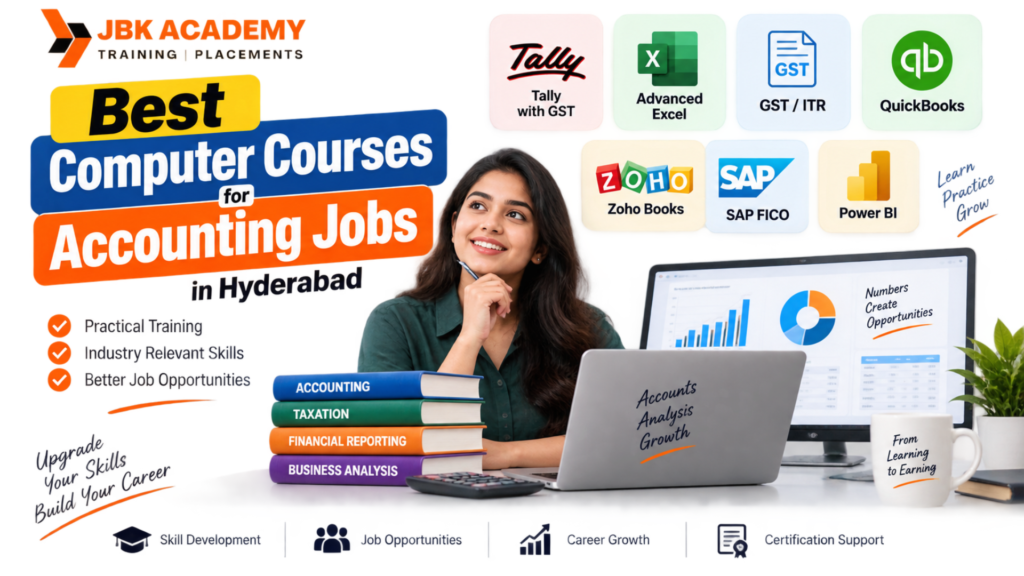
If you are looking for an accounting job in Hyderabad, knowing basic computer skills is no longer enough. Most accounting work today is done using accounting software, spreadsheets, GST tools, online tax portals and business management platforms. This is why many students and job seekers are now searching for Computer Courses for Accounting Jobs in Hyderabad rather than learning only traditional accounting concepts. The good news is that you do not need to learn every software available in the market. The right course depends on the type of accounting job you want, your current qualification, and whether you are a fresher or already working. For example, a beginner may benefit most from Tally, Advanced Excel and GST. Someone looking for a role in a larger organization may want to add SAP FICO or Power BI. A person interested in small businesses and bookkeeping can consider Zoho Books or QuickBooks. So, which courses should you actually learn? The most useful computer courses for accounting jobs include Tally, Advanced Excel, GST/ITR, Zoho Books, QuickBooks, SAP FICO and Power BI. This guide explains what each course teaches, who should learn it, and which combination may suit your career goals.
If your goal is to get an accounting-related job, the following courses are worth considering:
Each software has a different purpose.
| Course | Best For | Difficulty | Useful Skills |
|---|---|---|---|
| Tally with GST | Beginners & accountants | Beginner–Intermediate | Accounting, invoicing, GST |
| Advanced Excel | Almost every accounting role | Intermediate | Reports, formulas, data analysis |
| GST/ITR | Tax-related accounting work | Intermediate | GST, returns, tax compliance |
| Zoho Books | Small businesses & bookkeeping | Beginner–Intermediate | Cloud accounting |
| QuickBooks | Bookkeeping & business accounting | Beginner–Intermediate | Invoicing, bookkeeping, reports |
| SAP FICO | Corporate accounting/ERP roles | Intermediate–Advanced | Finance & controlling |
| Power BI | Reporting & financial analysis | Intermediate | Dashboards, data visualization |
You don’t necessarily need all seven.
The better approach is to start with the skills that match the job you want.
For someone starting an accounting career, Tally with GST is one of the most practical places to begin. Tally is widely associated with day-to-day accounting activities such as recording transactions, creating invoices, maintaining ledgers and preparing reports. A good accounting computer course should not teach Tally as a list of software commands. You should understand the accounting process behind the entries.
What can you learn?
Depending on the course syllabus, Tally training can cover topics such as:
The most useful part is learning how these activities connect. For example, creating a sales invoice is not simply about entering numbers into Tally. You should understand what the transaction means from an accounting perspective and how it affects the books.
Who should learn Tally?
Tally is a good starting point for:
If you are completely new to accounting software, starting with Tally can give you a practical introduction to computerized accounting.
If Tally is the accounting system you work with, Excel is often the tool you use to organize, analyze and present information.
That makes Advanced Excel an extremely useful skill for accounting professionals.
You may use Excel for:
The advantage of Excel is that it is useful across many departments, not just accounting.
What should an accountant learn in Excel?
You should go beyond basic formatting.
Important topics include:
You do not need to memorize every Excel function. Instead, focus on solving accounting-related problems. For example, imagine a company has thousands of sales transactions. An accountant may need to find sales for a particular customer, month or product. Knowing how to use formulas, filters and Pivot Tables can make that work much faster.
Who should learn Advanced Excel?
Almost anyone planning a computer-based accounting career can benefit from Excel.
It is particularly useful for:
If you can combine accounting knowledge with strong Excel skills, you have a much more practical skill set than someone who knows only basic computer operations.
Accounting and taxation often go together. This is why learning GST and ITR can be a valuable addition to a computer accounting course. A person working in accounts may encounter GST invoices, tax calculations, purchase and sales records, reconciliations and return-related work. Training in GST should help you understand the basic process rather than simply teaching you where to click on a portal.
Topics you may learn include:
The exact tax treatment can depend on the transaction and applicable rules, so professional training should emphasize understanding the process and keeping up with current requirements.
Who should learn GST and ITR?
This can be useful for:
If you already know Tally, adding GST knowledge can make your accounting skill set more relevant to day-to-day business work.
Accounting is increasingly moving toward cloud-based software.
Zoho Books is one example of cloud accounting software that businesses can use for bookkeeping and financial management. Instead of keeping accounting work limited to a desktop environment, cloud-based platforms can support access and collaboration through online systems.
What can you learn?
A Zoho Books training program may cover:
Who should learn Zoho Books?
Zoho Books may be particularly useful for:
It can be a useful additional skill after learning fundamental accounting and Tally.
QuickBooks is another accounting platform used for bookkeeping and business finance tasks.
The exact features and availability can vary depending on the version and market, so students should check which product and workflow their target employers use.
Training can introduce you to activities such as:
Who should learn QuickBooks?
QuickBooks can be useful for learners interested in:
If you are targeting companies that specifically use QuickBooks, learning the software can be worthwhile. However, there is no need to learn QuickBooks simply because it is another accounting platform. First understand accounting fundamentals and then learn the software relevant to your target job.
If your career goal is to move toward corporate finance and ERP-based accounting, SAP FICO is a different level of learning. SAP FICO refers to Finance and Controlling within SAP’s ERP environment. It is not simply another bookkeeping application. It is designed for managing financial processes within larger enterprise environments.
What does SAP FICO involve?
Training can introduce concepts such as:
The depth of SAP FICO training can vary considerably.That is why beginners should not choose an SAP course just because they have heard that ERP skills are valuable.
You need to understand the concepts behind the system.
Who should learn SAP FICO?
SAP FICO can be considered by:
If you are a complete beginner with no understanding of accounting, it is usually better to build your accounting fundamentals first.
Power BI is not traditional accounting software. So why include it in a list of Computer Courses for Accounting Jobs in Hyderabad? Because accounting departments increasingly deal with large amounts of business data. Accountants and finance teams may need to turn raw financial data into reports that managers can understand. This is where data visualization and reporting skills become useful. Power BI can be used to create interactive reports and dashboards from data sources.
How can Power BI help in finance?
For example, you could create reports showing:
Instead of sending management a large spreadsheet, you can present important information through an interactive dashboard.
Who should learn Power BI?
Power BI is particularly useful for:
It is generally better as an additional skill rather than your first accounting course.
If you are a fresher and don’t know where to start, don’t try to learn everything at once.
A practical combination would be:
This gives you three important areas:
Tally: Accounting software
GST: Tax-related knowledge
Excel: Reporting and data handling
Together, they can give a beginner a useful foundation for entry-level accounting work.
After gaining some experience, you can add another specialization such as:
SAP FICO
or
Power BI
depending on your career direction.
If you already work in accounting, your learning path can be different.
You may already understand:
In that case, repeating basic accounting concepts may not provide much value.
Instead, consider adding technology skills.
A possible progression is:
Tally → Advanced Excel → Power BI
or
Tally → GST → SAP FICO
or
Accounting → Cloud Accounting → Zoho Books/QuickBooks
The right choice depends on the jobs you want to apply for.
B.Com students already have an advantage because they study accounting and finance as part of their education.
The challenge is turning theoretical knowledge into practical computer skills.
A useful combination can be:
Tally + GST + Advanced Excel
Advanced Excel + SAP FICO
Advanced Excel + Power BI
Tally + GST + Zoho Books/QuickBooks
Instead of collecting certificates from every course, choose one path and become genuinely comfortable with the tools.
Completing a course is only the first step.
When applying for an accounting job, you should be able to demonstrate practical skills.
For example, can you:
These questions are more important than simply saying, “I completed a Tally course.”
That is why project practice matters.
Suppose an accountant receives a spreadsheet containing 20,000 transactions.
Knowing how to open Excel is not enough.
The accountant may need to:
This is where advanced Excel skills become useful.
The same applies to reconciliation.
Instead of checking every transaction manually, formulas and lookup functions can help compare two sets of data and identify differences.
This does not mean Excel replaces accounting knowledge.
It means Excel helps an accountant work with accounting information more efficiently.
There is an important difference between knowing accounting and knowing computerized accounting. Traditional accounting knowledge teaches you what a transaction means. Computerized accounting teaches you how that transaction is recorded and managed using software. You need both. For example, if you do not understand the difference between a receivable and a payable, knowing which Tally voucher to select will not solve the problem. On the other hand, someone may understand accounting very well but struggle in a job because they cannot work confidently with Excel or accounting software. The strongest candidates try to build both sides.
Accounting knowledge + Computer skills = Practical accounting ability
With many training institutes offering accounting courses, choosing the right one can be confusing.
Do not select a course only because it has a long list of software.
Look at the actual syllabus.
1. Check the practical training
Ask whether you will work on actual accounting-style exercises and projects.
2. Check the software covered
If you want Tally, make sure the course actually covers the accounting workflows you need.
If you want corporate ERP skills, check the depth of SAP FICO training.
3. Look at Excel coverage
A course that claims to teach Excel but only covers basic formatting may not be enough for an accounting career.
Look for formulas, Pivot Tables, lookups, reporting and practical exercises.
4. Ask about GST training
If GST is included, find out whether the course explains practical accounting and return-related workflows rather than only definitions.
5. Consider your career goal
Do not choose SAP FICO simply because it sounds advanced.
Do not choose Power BI if your immediate goal is a basic bookkeeping position.
Choose according to the job you want.
If you are searching for Computer Courses for Accounting Jobs in Hyderabad, JBK Academy can be considered as one of the training options available for learners looking to build accounting and computer-based skills.
The main thing to look for in an accounting training program is practical learning.
A useful program should help you connect accounting concepts with the software used to perform day-to-day work.
Practical Accounting Learning
Instead of only learning software menus, focus on transaction-based practice and accounting scenarios.
Tally, Excel and GST Skills
For beginners, these skills provide a useful starting point for computerized accounting and day-to-day office work.
Career-Oriented Learning
The goal should be to develop skills that you can demonstrate during interviews and on the job.
Suitable for Freshers
Students and graduates who are new to computerized accounting can start with the basics and gradually build their skills.
Skill Development Beyond One Software
Accounting work involves more than one application. Developing Excel, taxation and reporting skills alongside accounting software can give learners a broader skill set.
Before enrolling, however, students should review the current syllabus, training format, duration and practical components to make sure they match their career goals.
If you are starting from zero, here is a practical roadmap.
Step 1: Understand Accounting Basics
Learn:
You don’t need to become an expert before touching software, but you should understand the basics.
Step 2: Learn Tally
Practice:
Try creating a small business example and record its transactions.
Step 3: Add GST Knowledge
Learn how GST affects sales, purchases, invoices and accounting records.
Practice with realistic transaction examples.
Step 4: Learn Advanced Excel
Focus on practical functions and reporting.
Start with:
SUMIFS → IF → XLOOKUP/VLOOKUP → Pivot Tables → Charts → Reporting
You can add more advanced functions as you become comfortable.
Step 5: Build a Small Project
Create a sample company and prepare:
This becomes something you can discuss in an interview.
Step 6: Choose a Specialization
After your foundation is strong, decide whether you want to move toward:
Corporate ERP → SAP FICO
Business reporting → Power BI
Cloud bookkeeping → Zoho Books / QuickBooks
This is a much more sensible approach than trying to master everything simultaneously.
Learning only Tally
Tally is useful, but accounting jobs can involve Excel, GST, email, reporting and other business systems.
Ignoring accounting fundamentals
Software cannot replace accounting knowledge.
Learning Excel only at a basic level
If you want an office-based accounting role, learn how to analyze and report data rather than stopping at formatting.
Choosing advanced software too early
SAP FICO may be useful, but beginners should understand accounting first.
Not practicing
Watching an instructor create an invoice is different from creating one yourself.
Focusing only on certificates
A certificate shows that you completed training.
Your practical skills show what you can actually do.
Here is a simple way to decide.
If you are a complete beginner:
Tally + GST + Advanced Excel
If you want a junior accountant role:
Tally + GST + Excel
If you want bookkeeping work:
Tally + Zoho Books/QuickBooks + Excel
If you want corporate finance:
Advanced Excel + SAP FICO
If you want finance reporting:
Advanced Excel + Power BI
If you already have accounting experience:
Choose a specialization based on the type of role you want next.
Which computer courses are best for accounting jobs?
For beginners, Tally with GST and Advanced Excel are strong starting points. Depending on your career goals, you can later add Zoho Books, QuickBooks, SAP FICO or Power BI.
Is Tally enough to get an accounting job?
Tally is an important accounting software skill, but it is better to combine it with accounting fundamentals, GST knowledge and Excel skills.
Is Advanced Excel useful for accountants?
Yes. Excel is useful for reconciliation, reports, data analysis, budgeting, MIS and many other accounting and finance tasks.
Should I learn GST along with Tally?
Yes. Learning GST alongside Tally can help you understand how tax-related transactions are handled in computerized accounting.
Is SAP FICO good for freshers?
SAP FICO can be useful for people targeting ERP and corporate finance roles, but beginners should first develop a solid understanding of accounting and financial concepts.
Should accountants learn Power BI?
Power BI is particularly useful for accountants and finance professionals who want to move toward reporting, dashboards and financial data analysis.
Is Zoho Books useful for accounting jobs?
It can be useful where businesses use cloud accounting platforms. It is especially relevant to bookkeeping and small-business accounting workflows.
Is QuickBooks useful for accountants?
QuickBooks can be useful for bookkeeping and accounting roles where employers use the platform. Check the software requirements of your target jobs before choosing it as a specialization.
Which accounting course is best for B.Com graduates?
A combination of Tally, GST and Advanced Excel is a practical starting point. B.Com graduates can then consider SAP FICO or Power BI depending on their career direction.
Where can I learn computer accounting courses in Hyderabad?
Students looking for Computer Courses for Accounting Jobs in Hyderabad can compare institutes based on syllabus, practical training, software coverage, trainer experience, course duration and project work. JBK Academy is one option to consider when comparing accounting-focused training programs in Hyderabad.
Why MS Office Skills Are Important for Freshers and Office Jobs For freshers entering the job market, technical skills are important, but not every useful
What Is Power BI and How Is It Used in Data Analytics? Businesses generate large amounts of data every day. Sales transactions, customer information, financial
Power BI vs Advanced Excel: What Should Beginners Learn First? Data is now an important part of almost every business. Companies use sales figures, customer
Tally Course for Beginners: Step-by-Step Roadmap to Learn Accounting Software Learning accounting software can be an important step for students, job seekers, business owners, and
Job-Oriented Accounting Course in Ameerpet: What Students Should Check Before Joining Choosing a job oriented accounting course in Ameerpet is an important decision for students,
Best Computer Courses for Accounting Jobs in Hyderabad If you are looking for an accounting job in Hyderabad, knowing basic computer skills is no longer
Photoshop Course in Hyderabad: Beginner Roadmap for Design and Marketing Photoshop is one of the most widely recognized tools in the creative industry. From social
YouTube Video Editing Course: Skills Needed for Content Creators Creating videos for YouTube is no longer only about recording good footage. Successful creators need to
Video Editing Course in Hyderabad: Skills, Software and Career Opportunities Video has become one of the most powerful forms of digital communication. From YouTube videos
Graphic Designing Course in Hyderabad: Tools, Portfolio and Career Scope Choosing the right graphic designing course in Hyderabad can be an important first step for
Digital Marketing Course in Hyderabad: SEO, Google Ads and Social Media Career Path Choosing the right Digital Marketing course in Hyderabad can be an important
Tally vs Advanced Excel vs SAP FICO vs Power BI: Which Course Should You Choose? Choosing between Tally, Advanced Excel, SAP FICO, and Power BI
Accounting Course for Career Gap Candidates and Homemakers: Restart Roadmap Returning to work after a career break can feel challenging, especially when technology, workplace expectations,
MS Office Course in Ameerpet: Basic Computer Skills for Office Jobs In today’s workplace, basic computer knowledge is no longer an optional skill. Whether you
ITR and GST Tax Practitioner Course: How to Start a Tax Filing Career Taxation is an essential part of every business and financial system. Individuals
SAP FICO After Tally: Best Learning Path for Accountants For students and accounting professionals planning to build a career in finance, learning Tally first and
Zoho Books Course in Hyderabad: Cloud Accounting Skills for Freshers The shift from traditional accounting to cloud-based financial management has created new opportunities for students,
Advanced Excel and Tally Course: Best Skill Combination for Accounting Jobs Accounting has evolved significantly over the past decade. Businesses no longer rely solely on
Best Accounting Courses After 12th or Graduation in Hyderabad Start Your Career with the Best Accounting Course in Hyderabad Choosing the right career after completing
Tally Prime with GST Course: Complete Practical Syllabus for Beginners Accounting is one of the most stable and in-demand career fields in today’s business world.