
Why MS Office Skills Are Important for Freshers and Office Jobs
Why MS Office Skills Are Important for Freshers and Office Jobs For freshers entering the job market, technical skills are important, but not every useful
 Skip to content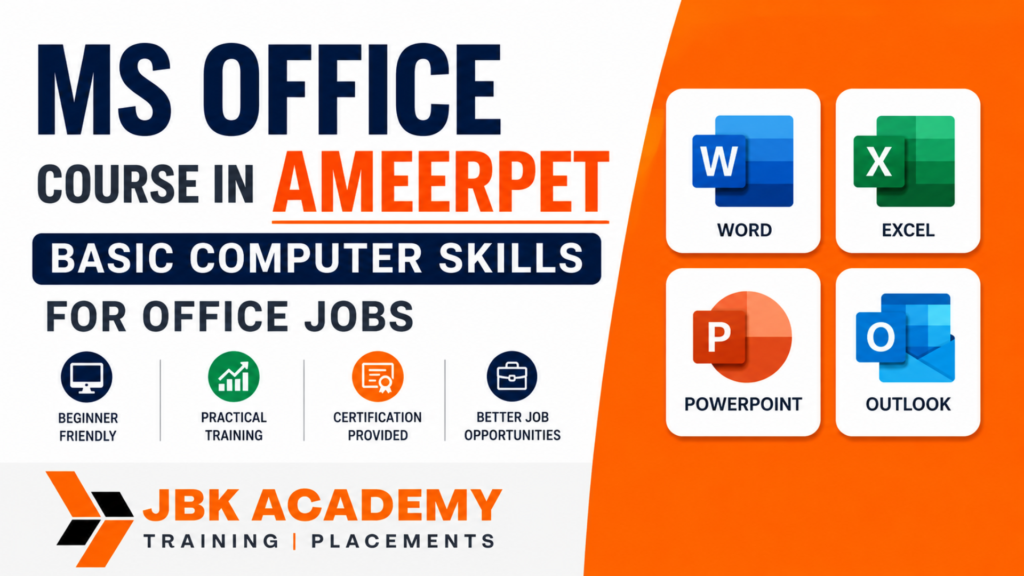
In today’s workplace, basic computer knowledge is no longer an optional skill. Whether you are applying for an administrative position, data entry role, customer support job, accounts position, HR role, sales job, or another office-based career, employers generally expect candidates to be comfortable using computers and common productivity applications.Among the most useful workplace tools are Microsoft Word, Microsoft Excel, Microsoft PowerPoint, and Microsoft Outlook. These applications are used for everyday tasks such as creating documents, maintaining records, preparing reports, analyzing data, designing presentations, sending professional emails, and organizing information.For beginners, an MS Office course in Ameerpet can provide a structured way to develop these essential workplace skills. Instead of learning individual applications randomly, students can learn how Word, Excel, PowerPoint, and other office tools work together in real office situations.JBK Academy offers MS Office training in Ameerpet, Hyderabad, with a practical learning approach covering applications such as Word, Excel, PowerPoint, Outlook, and other productivity tools. Its course information highlights hands-on training, real-world scenarios, online and offline learning options, and career-oriented support.
This article explains what MS Office is, why it matters for office jobs, what students can learn, which job tasks require these skills, whether MS Office alone is enough for employment, and how beginners can use MS Office as a foundation for building a broader career.
Microsoft Office is a collection of productivity applications designed to help users create, manage, analyze, present, and communicate information.
For office professionals, the most commonly used applications include:
Depending on the workplace and role, employees may also work with database or other productivity applications.
Each application serves a different purpose, but together they form an important part of everyday office work.
For example, an employee might use Word to create a business letter, Excel to prepare a monthly report, PowerPoint to present the report to management, and Outlook to send the documents to colleagues.
Learning these tools as a connected set can therefore help beginners understand how computer-based office work is actually performed.
Many office jobs involve creating documents, maintaining information, preparing reports, communicating through email, and presenting data.Employees are often expected to complete these tasks efficiently rather than spend excessive time figuring out basic software functions.For example, an office administrator may need to prepare a letter, update an employee list, create a meeting schedule, and send an email to multiple departments.A sales executive may maintain customer information in Excel, create a presentation, and prepare weekly performance reports.An accounts employee may use Excel to organize financial information, calculate totals, prepare summaries, and share reports with management.This is why MS Office training Hyderabad programs can be useful for beginners who want to develop practical computer skills before entering the workplace.The objective is not simply to know where different buttons are located. The objective is to understand how to use these applications to complete common office tasks accurately and efficiently.
A well-structured MS Office course generally covers multiple applications and practical office workflows.
At JBK Academy, the MS Office curriculum includes areas such as Word, Excel, PowerPoint, and other office productivity applications. The published course curriculum also includes topics such as formulas, functions, sorting, filtering, pivot tables, charts, presentation design, and database fundamentals.
Let’s look at the major areas in detail.
Microsoft Word: Creating Professional Documents
Microsoft Word is one of the most commonly used applications in office environments.
Employees use Word for creating and formatting documents such as:
A beginner should learn more than simply typing text.
Important Word skills include:
Why Word Matters for Office Jobs
Imagine joining a company as an administrative assistant.
You may be asked to prepare a formal letter using company formatting, add a table, insert a logo, add page numbers, and save the document as a PDF. Without proper Word skills, even a simple task can take a long time. With good training and practice, the same task can be completed efficiently. This makes Word an important foundation for a computer course for office jobs.
If Word helps employees create documents, Excel helps them manage and analyze information.
Excel is particularly important because many office departments work with structured data.
Employees use Excel for:
For many office jobs, Excel can become one of the most frequently used applications.
Basic Excel Skills
Beginners should understand:
Excel Formulas and Functions
A beginner should also learn commonly used formulas and functions.
Examples include:
The exact functions needed depend on the job role.
For example, an HR employee may use Excel to maintain employee records, while a sales employee may use it to calculate monthly sales performance.
Excel for Reports
Excel becomes even more useful when employees need to convert raw information into understandable reports.
Important skills include:
A fresher who can confidently create a clean Excel report can demonstrate a practical skill that is useful across many office environments.
PowerPoint is used to communicate information visually.
It can be used for:
Learning PowerPoint involves more than adding text to slides.
Students should understand:
The objective should be to create presentations that are clear, professional, and easy to understand.
Email is an essential part of modern office communication.
Microsoft Outlook can be used for:
Beginners should understand professional email etiquette as well as the technical features of Outlook.
For example, they should know how to:
These are practical skills that can be useful from the first day of an office job.
One of the best ways to understand the importance of MS Office is to look at a typical office workflow.
Suppose an employee is asked to prepare a weekly sales report.
The process might look like this:
Step 1: Collect sales information.
Step 2: Enter and organize the information in Excel.
Step 3: Use formulas to calculate totals and percentages.
Step 4: Create charts to visualize the results.
Step 5: Prepare a PowerPoint presentation using the important findings.
Step 6: Create a written summary in Word.
Step 7: Send the completed report to the manager through Outlook.
This single workflow uses multiple MS Office applications.
Therefore, learning MS Office as a complete skill set can help students understand how computer-based office work is performed.
MS Office can be enough for some entry-level office roles, but it is not enough for every office job.
For basic administrative, documentation, data-entry, coordination, and support roles, strong MS Office skills can provide an important foundation.
However, many jobs require additional knowledge depending on the position.
For example:
Accounts Job:
MS Office + Tally + GST + accounting fundamentals
Data Analyst:
Excel + SQL + Power BI + data analysis
HR Executive:
MS Office + HR processes + communication skills
Digital Marketing Executive:
MS Office + digital marketing + analytics + marketing tools
Office Administrator:
MS Office + communication + documentation + coordination
Sales Executive:
MS Office + CRM + communication + reporting
Therefore, MS Office should be viewed as a foundation skill, not necessarily a complete career specialization.
A beginner can learn MS Office first and then add specialized skills according to their career goal.
An MS Office course in Ameerpet can be useful for several types of learners.
1. Students
Students who have limited computer experience can develop basic workplace skills before completing their education.
2. Freshers
Fresh graduates can use MS Office skills to strengthen their resumes and prepare for entry-level office positions.
3. Job Seekers
People actively searching for jobs can improve their computer skills and become more confident during interviews and practical assessments.
4. Working Professionals
Professionals who already use basic MS Office can improve their productivity by learning advanced Excel features, better document formatting, presentations, and email management.
5. Career Changers
Someone moving from a non-office role into an administrative or corporate environment can use MS Office training as a starting point.
6. Small Business Owners
Business owners can use Word, Excel, and PowerPoint to manage documents, records, reports, quotations, presentations, and other daily tasks.
The importance of each MS Office application can vary depending on the role.
| Job Role | Most Useful MS Office Skills |
|---|---|
| Office Administrator | Word, Excel, Outlook |
| Data Entry Executive | Excel, Word |
| Administrative Assistant | Word, Excel, Outlook |
| HR Assistant | Excel, Word, Outlook |
| Sales Executive | Excel, PowerPoint, Outlook |
| Accounts Assistant | Excel, Word |
| Customer Support | Word, Excel, Outlook |
| Marketing Assistant | PowerPoint, Excel, Word |
| Project Coordinator | Excel, PowerPoint, Word |
| Operations Executive | Excel, Word, Outlook |
This shows why MS Office is considered a general workplace skill.
Freshers often face one common challenge: they have educational qualifications but limited practical workplace experience.
Learning MS Office can help bridge part of that gap.
For example, a fresher can demonstrate that they know how to:
These skills can make a fresher more comfortable with everyday office tasks.
However, candidates should remember that employers may also look at communication, problem-solving, teamwork, attitude, and role-specific knowledge.
Practical projects can make learning more effective.
Instead of completing only individual exercises, beginners can create small office-oriented projects.
Project 1: Employee Attendance Sheet
Create an Excel workbook containing:
Use formulas and formatting to make the report easy to understand.
Project 2: Monthly Sales Report
Create an Excel sales report containing:
This project can demonstrate practical Excel skills.
Project 3: Professional Business Letter
Use Word to create a professional company letter with:
This can help beginners understand professional document formatting.
Project 4: Employee Resume Template
Create a professional resume template using Word.
Practice:
Project 5: Business Presentation
Create a PowerPoint presentation about a fictional company.
Include:
Project 6: Office Meeting Schedule
Use Outlook or another calendar workflow to create a meeting schedule.
Practice:
These projects can help learners understand how MS Office tools are used together.
MS Office can also be useful for students interested in accounting careers.
Excel is frequently used for:
However, someone who wants to build a professional accounting career should add accounting-specific training.
For example:
MS Office → Advanced Excel → Tally/GST → Accounting Career
This pathway can help a beginner progressively build both general office productivity skills and specialized accounting knowledge.
JBK Academy provides training across areas such as MS Office, Advanced Excel, Tally, SAP FICO, Power BI, and other career-oriented programs, allowing learners to build additional skills after completing their foundation training.
Choosing the right training environment can make learning easier for beginners.
JBK Academy in Ameerpet focuses on practical training in MS Office applications and related career skills. Its published information highlights hands-on training, industry-oriented curriculum, experienced trainers, online and offline options, and career support.
Some of the features highlighted by the academy include:
Practical Training
Students can practice the applications instead of relying only on theoretical explanations.
Experienced Trainers
Trainer guidance can help beginners understand software features and complete practical exercises.
Real-World Examples
Learning through office-related scenarios can help students understand how MS Office is applied at work.
Online and Offline Options
JBK Academy provides both online and offline MS Office learning options according to its course information.
Career Support
The academy highlights placement assistance and career-oriented support as part of its training approach.
Additional Career Courses
Students can continue their learning with related areas such as Advanced Excel, Tally, SAP FICO, Power BI, and other programs offered by JBK Academy.
For someone searching specifically for MS Office training Hyderabad, this broader learning ecosystem can be useful because the learner can start with basic office skills and then choose a specialized career path.
MS Office training can support candidates applying for various entry-level positions where computer productivity skills are required.
Potential roles can include:
The actual requirements vary from employer to employer.
Candidates should therefore read job descriptions carefully and identify which additional skills are required.
For example, an accounts-related position may require Tally and accounting knowledge, while a data-related position may require Advanced Excel, SQL, or Power BI.
Is MS Office enough for office jobs?
MS Office can be enough for some entry-level administrative, documentation, data-entry, and support roles, but it is not sufficient for every office career. For specialized positions, candidates usually need additional domain-specific knowledge. MS Office is best viewed as a foundational workplace skill that can be combined with accounting, HR, data analytics, sales, marketing, or other professional skills.
Which MS Office application is most important for jobs?
The answer depends on the job. Word is important for documentation, Excel is highly useful for data and reporting, PowerPoint is useful for presentations, and Outlook is useful for professional communication and scheduling. Learning all of them gives beginners a more complete workplace skill set.
Is MS Office suitable for beginners?
Yes. MS Office is suitable for beginners, and learners do not need advanced computer knowledge to start. A structured MS Office course in Ameerpet can help beginners learn the applications step by step through practical exercises.
Can freshers get jobs after learning MS Office?
Freshers can apply for entry-level positions where basic computer and office productivity skills are required. However, employment also depends on qualifications, communication, interview performance, practical skills, and the requirements of the particular job.
Which jobs require MS Office skills?
Administrative assistants, office administrators, data entry executives, HR assistants, sales coordinators, operations executives, customer support professionals, and many other office-based roles may use MS Office regularly.
Should I learn Excel after MS Office?
Yes. If you want to work in accounts, administration, operations, sales, HR, reporting, or data-related roles, developing stronger Excel skills can be particularly useful.
Can MS Office help in accounting jobs?
Yes, particularly Excel. However, candidates targeting accounting careers should also learn accounting concepts and specialized accounting software such as Tally, along with GST-related knowledge where relevant.
Is MS Office useful for students?
Yes. Students can use Word for assignments and documents, Excel for data and calculations, PowerPoint for presentations, and Outlook for professional communication. These skills can also help students prepare for workplace requirements.
Do I need prior experience to join an MS Office course?
No. Beginners can start with basic computer knowledge and gradually develop their MS Office skills.
How long does it take to learn MS Office?
The time required depends on the learner’s starting level, course structure, and amount of practice. Learning basic functions can be relatively quick, but developing confidence with practical office workflows requires regular hands-on practice.
If you are a beginner looking to develop computer skills for office jobs, you can explore the MS Office course at JBK Academy, Ameerpet, Hyderabad.
MS Office Course at JBK Academy
If your next goal is to build stronger Excel and data-handling skills, you can also explore JBK Academy’s related career programs.
For learners interested in building an accounting career after developing basic office skills, JBK Academy also offers accounting-oriented courses such as Tally and SAP FICO.
Why MS Office Skills Are Important for Freshers and Office Jobs For freshers entering the job market, technical skills are important, but not every useful
What Is Power BI and How Is It Used in Data Analytics? Businesses generate large amounts of data every day. Sales transactions, customer information, financial
Power BI vs Advanced Excel: What Should Beginners Learn First? Data is now an important part of almost every business. Companies use sales figures, customer
Tally Course for Beginners: Step-by-Step Roadmap to Learn Accounting Software Learning accounting software can be an important step for students, job seekers, business owners, and
Job-Oriented Accounting Course in Ameerpet: What Students Should Check Before Joining Choosing a job oriented accounting course in Ameerpet is an important decision for students,
Best Computer Courses for Accounting Jobs in Hyderabad If you are looking for an accounting job in Hyderabad, knowing basic computer skills is no longer
Photoshop Course in Hyderabad: Beginner Roadmap for Design and Marketing Photoshop is one of the most widely recognized tools in the creative industry. From social
YouTube Video Editing Course: Skills Needed for Content Creators Creating videos for YouTube is no longer only about recording good footage. Successful creators need to
Video Editing Course in Hyderabad: Skills, Software and Career Opportunities Video has become one of the most powerful forms of digital communication. From YouTube videos
Graphic Designing Course in Hyderabad: Tools, Portfolio and Career Scope Choosing the right graphic designing course in Hyderabad can be an important first step for
Digital Marketing Course in Hyderabad: SEO, Google Ads and Social Media Career Path Choosing the right Digital Marketing course in Hyderabad can be an important
Tally vs Advanced Excel vs SAP FICO vs Power BI: Which Course Should You Choose? Choosing between Tally, Advanced Excel, SAP FICO, and Power BI
Accounting Course for Career Gap Candidates and Homemakers: Restart Roadmap Returning to work after a career break can feel challenging, especially when technology, workplace expectations,
MS Office Course in Ameerpet: Basic Computer Skills for Office Jobs In today’s workplace, basic computer knowledge is no longer an optional skill. Whether you
ITR and GST Tax Practitioner Course: How to Start a Tax Filing Career Taxation is an essential part of every business and financial system. Individuals
SAP FICO After Tally: Best Learning Path for Accountants For students and accounting professionals planning to build a career in finance, learning Tally first and
Zoho Books Course in Hyderabad: Cloud Accounting Skills for Freshers The shift from traditional accounting to cloud-based financial management has created new opportunities for students,
Advanced Excel and Tally Course: Best Skill Combination for Accounting Jobs Accounting has evolved significantly over the past decade. Businesses no longer rely solely on
Best Accounting Courses After 12th or Graduation in Hyderabad Start Your Career with the Best Accounting Course in Hyderabad Choosing the right career after completing
Tally Prime with GST Course: Complete Practical Syllabus for Beginners Accounting is one of the most stable and in-demand career fields in today’s business world.