#conversiontracking

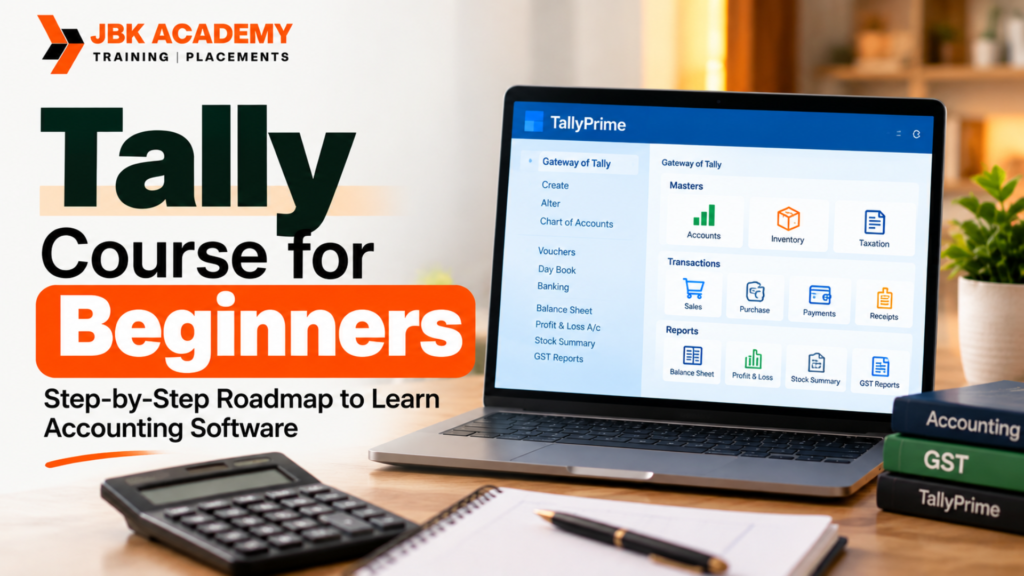
Tally Course for Beginners: Step-by-Step Roadmap to Learn Accounting Software

Learning accounting software can be an important step for students, job seekers, business owners, and aspiring accounting professionals who want practical finance and bookkeeping skills. A Tally Course in Hyderabad and a Tally course for beginners can provide a structured way to understand accounting concepts, business transactions, GST, inventory, banking, payroll, and financial reports using TallyPrime. At JBK Academy, the learning approach is designed to take learners from accounting fundamentals toward practical TallyPrime usage through structured modules and hands-on exercises.For someone starting from zero, the biggest challenge is usually knowing what to learn first and what to practice next. A Tally Course in Hyderabad and a Tally course for beginners should therefore follow a clear sequence rather than teaching random software commands. Beginners can start with accounting fundamentals, move into company creation and ledger setup, learn vouchers, practice sales and purchases, understand GST, work with inventory and banking, and finally generate reports and complete practical business scenarios.

How Can a Beginner Learn Tally Step by Step?

The simplest way to learn Tally is to follow a progressive roadmap. A Tally Course in Hyderabad and a Tally course for beginners can be organized into stages such as accounting basics, TallyPrime fundamentals, company creation, groups and ledgers, voucher entries, inventory, GST, banking, payroll, reporting, and practical projects. This step-by-step approach allows beginners to understand not only which button to click but also why a particular accounting entry is required.A beginner-friendly Tally Course in Hyderabad and Tally course for beginners should combine theory with repeated practice. TallyPrime allows users to create companies, configure accounting and inventory features, create masters, record transactions, and generate reports. Official TallyPrime documentation also recommends setting up masters systematically before recording transactions.

What Is TallyPrime?

TallyPrime is business and accounting software used for activities such as bookkeeping, accounting, inventory management, banking, taxation, payroll, and reporting. A Tally Course in Hyderabad and a Tally course for beginners introduces learners to these functions progressively so they can understand how accounting data moves from transactions to reports.

A Tally Course in Hyderabad and a Tally course for beginners can help students understand TallyPrime as more than a voucher-entry tool. TallyPrime supports accounting, inventory, payroll, banking utilities, sales and purchase processes, taxation and compliance, and financial reporting.

For learners joining Tally classes for beginners, it is useful to first understand the relationship between accounting concepts and software operations. Once this foundation is clear, a Tally Prime course becomes easier to follow because students can connect every transaction entered into the software with an underlying business event.

Step 1: Learn Basic Accounting Concepts

The first stage of a Tally Course in Hyderabad and a Tally course for beginners should be understanding basic accounting. Beginners should know what assets, liabilities, capital, income, expenses, purchases, sales, debtors, and creditors mean before trying to record transactions.

A Tally Course in Hyderabad and a Tally course for beginners should introduce concepts such as debit and credit, accounting equations, journal entries, ledgers, trial balance, profit and loss, and balance sheet. These concepts form the foundation for understanding why different voucher types are used.

For example, if a business purchases office furniture for cash, the learner should first understand the accounting effect of that transaction. In Tally classes for beginners, the student can then translate that accounting concept into the appropriate TallyPrime entry.

Beginner Practice Task

Create five simple business transactions on paper and identify:

  • The accounts involved
  • Which account is debited
  • Which account is credited
  • Whether the transaction affects income, expense, asset, liability, or capital

This exercise makes a Tally Course in Hyderabad and a Tally course for beginners much easier because learners understand the accounting logic before entering data into the software.

Step 2: Understand the TallyPrime Interface

After learning accounting basics, the next stage of a Tally Course in Hyderabad and a Tally course for beginners is getting familiar with TallyPrime.

Students should learn how to navigate the software, locate accounting features, open reports, create masters, enter vouchers, and use relevant configuration options. TallyPrime provides navigation and configuration features that allow businesses to enable functions according to their requirements.

A Tally Course in Hyderabad and a Tally course for beginners should not rush through the interface. Beginners should spend time understanding the Gateway area, menus, reports, company selection, configuration options, and commonly used navigation methods.

Beginner Practice Task

During Tally classes for beginners, open a practice company and identify:

  • Company information
  • Accounting menu
  • Inventory menu
  • Voucher options
  • Reports
  • Configuration settings
  • Chart of Accounts

Repeating this exercise helps learners become comfortable with the software.

Step 3: Create a Company in TallyPrime

Creating a company is one of the first practical tasks in a Tally Course in Hyderabad and a Tally course for beginners.

Students learn how to enter company details, select the appropriate financial year, configure accounting requirements, and enable features relevant to the business. TallyPrime’s official getting-started documentation explains that after installing the software, users can create a company and configure features such as accounting, inventory, taxation, and payroll.

In a Tally Course in Hyderabad and a Tally course for beginners, learners should practice creating more than one sample company because company setup may differ depending on the type of business.

Beginner Practice Task

Create a sample company such as:

ABC Traders

Then configure:

  • Company name
  • Address
  • State
  • Financial year
  • Books beginning date
  • GST requirements
  • Inventory requirements

This provides a practical foundation for the next stages of the Tally Prime course.

Step 4: Learn Groups and Ledgers

Groups and ledgers are essential topics in a Tally Course in Hyderabad and a Tally course for beginners because transactions are recorded against accounts.

A ledger represents an account where transactions are recorded, while groups help classify similar ledgers. TallyPrime documentation explains that users can create party ledgers, bank ledgers, and other required ledgers and organize them through groups.

A Tally Course in Hyderabad and a Tally course for beginners should teach learners how to identify the correct group before creating a ledger.

For example, a beginner may need to create ledgers such as:

  • Cash
  • Bank
  • Sales
  • Purchases
  • Rent
  • Electricity
  • Salary
  • Customer accounts
  • Supplier accounts
  • Capital
  • Office expenses

Beginner Practice Task

Create at least 20 ledgers for a fictional trading business and place each ledger under the appropriate group.

This is one of the most useful exercises in Tally classes for beginners because incorrect ledger classification can affect reports.

Step 5: Learn Voucher Entries

Voucher entry is one of the most important stages of a Tally Course in Hyderabad and a Tally course for beginners.

Students learn how business transactions are entered using appropriate voucher types. Depending on the transaction, learners may work with payment, receipt, contra, journal, sales, purchase, debit note, credit note, and other voucher types.

A Tally Course in Hyderabad and a Tally course for beginners should teach voucher entry using realistic examples rather than only theoretical explanations.

For example:

Transaction: Business pays ₹10,000 office rent through bank.

The learner should understand:

  • Which account is affected?
  • Which account is debited?
  • Which account is credited?
  • Which voucher type is appropriate?
  • What narration should be entered?

TallyPrime’s documentation explains that transactions are recorded by selecting an appropriate voucher type and entering details such as date, amount, and ledger accounts.

Step 6: Practice Sales and Purchase Transactions

Sales and purchase transactions are essential in a Tally Course in Hyderabad and a Tally course for beginners because they represent everyday business activity.

Students learn how to record purchases, sales, customer transactions, supplier transactions, discounts, taxes, and related accounting information.

In Tally classes for beginners, students should practice both cash and credit transactions. This helps them understand the difference between immediate payment and outstanding receivables or payables.

Practice Example

Suppose ABC Traders purchases goods worth ₹50,000 from XYZ Suppliers on credit.

The student should identify:

  • Supplier ledger
  • Purchase ledger
  • Applicable tax
  • Voucher type
  • Payment status
  • Outstanding amount

A Tally Course in Hyderabad and a Tally course for beginners becomes more effective when learners repeatedly enter similar transactions using different business situations.

Step 7: Learn GST in TallyPrime

GST is a major component of a modern Tally Course in Hyderabad and a Tally course for beginners, particularly for learners preparing for accounting-related roles in India.

Students should understand GST concepts before configuring GST transactions in the software. A beginner-level Tally Course in Hyderabad and a Tally course for beginners can cover GST registration details, tax ledgers, GST rates, HSN/SAC concepts, taxable transactions, sales, purchases, input tax credit, and GST reports.

TallyPrime currently includes India taxation and GST capabilities, and its feature documentation includes GST reporting, reconciliation, and related compliance functions.

GST Practice Task

Create a sample GST-enabled company and practice:

  1. Creating GST details
  2. Creating tax ledgers
  3. Creating customer and supplier ledgers
  4. Recording taxable purchases
  5. Recording taxable sales
  6. Checking GST-related reports
  7. Reviewing transaction details

A practical Tally Prime course should allow learners to repeat these tasks using different scenarios.

Step 8: Learn Inventory Management

Inventory is another important module in a Tally Course in Hyderabad and a Tally course for beginners.

Students can learn how businesses manage stock items, units, stock groups, godowns, purchase transactions, sales transactions, stock movement, and inventory reports.

TallyPrime supports inventory functions including stock movement, classification, valuation, godowns, batches, and related inventory processes.

In Tally classes for beginners, learners can create a sample business selling products and then track how stock changes after every purchase and sales transaction.

Beginner Practice Task

Create:

  • 3 stock groups
  • 10 stock items
  • 2 units of measurement
  • 2 godowns
  • 5 purchase transactions
  • 5 sales transactions

Then review the resulting stock reports.

This exercise helps connect accounting transactions with inventory management in a Tally Course in Hyderabad and a Tally course for beginners.

Step 9: Learn Banking and Bank Reconciliation

Banking is another practical area covered in a structured Tally Course in Hyderabad and a Tally course for beginners.

Students can learn how to record bank transactions, payments, receipts, deposits, withdrawals, and bank-related accounting entries. They can also learn the concept of bank reconciliation and why book balances may differ from bank statement balances.

TallyPrime provides banking utilities and reconciliation capabilities as part of its accounting and business management features.

A Tally Course in Hyderabad and a Tally course for beginners should include practical bank reconciliation exercises instead of treating banking as only theoretical content.

Practice Task

Create 15 bank transactions and compare them with a fictional bank statement. Identify:

  • Matched transactions
  • Missing transactions
  • Bank charges
  • Outstanding cheques
  • Deposits not reflected
  • Differences requiring reconciliation

Step 10: Learn Payroll Basics

Payroll can be introduced after learners understand accounting, vouchers, and company configuration in a Tally Course in Hyderabad and a Tally course for beginners.

Students can learn the basics of employee records, attendance, salary structures, payroll processing, and salary-related reports.

TallyPrime supports payroll management, including employee-specific records, payslips, attendance reports, and related payroll functionality.

In Tally classes for beginners, payroll can be taught through a simple company example containing employees with different salary structures.

The objective of this stage in a Tally Course in Hyderabad and a Tally course for beginners is to help learners understand how payroll information connects with accounting records.

Step 11: Learn Financial Reports

Reports are one of the most important outcomes of a Tally Course in Hyderabad and a Tally course for beginners.

After entering transactions, students need to understand how accounting information appears in reports. Important reports include:

  • Trial Balance
  • Profit & Loss Account
  • Balance Sheet
  • Day Book
  • Ledger reports
  • Outstanding reports
  • Stock reports
  • Cash and bank reports
  • GST reports

TallyPrime provides real-time financial and accounting reports based on transaction data entered into the system.

A Tally Course in Hyderabad and a Tally course for beginners should teach students not only how to open these reports but also how to interpret them.

For example, learners should understand what an increase in expenses means, how outstanding receivables appear, and how sales and purchases affect business reports.

Step 12: Learn Data Import and Export

Data management is another useful topic in a modern Tally Course in Hyderabad and a Tally course for beginners.

Learners can be introduced to importing and exporting data and understanding how accounting information can be exchanged between systems. TallyPrime supports data exchange through formats and workflows that include Excel, JSON, and other supported methods depending on the operation.

In Tally classes for beginners, learners can start with a simple Excel-based master list and understand how accounting information can be prepared for import.

This becomes especially useful for students who later work with larger accounting datasets.

Step 13: Practice With a Complete Business Project

The most important stage of a Tally Course in Hyderabad and a Tally course for beginners is completing a practical project.

Instead of practicing individual entries separately, students should create a fictional business and manage its accounts from beginning to end.

For example:

Business: ABC Traders
Industry: Wholesale Trading

The project can include:

  • Company creation
  • Capital introduction
  • Purchase of inventory
  • Credit purchases
  • Cash purchases
  • Cash sales
  • Credit sales
  • Customer payments
  • Supplier payments
  • Expenses
  • Bank transactions
  • GST transactions
  • Inventory movement
  • Salary transactions
  • Bank reconciliation
  • Financial reports

A project like this allows a Tally Course in Hyderabad and a Tally course for beginners to move from software practice toward real-world accounting workflows.

What is Tally Course?

Tally is one of the most widely used accounting software programs in India. It helps businesses manage financial records digitally instead of maintaining manual accounting books. Before accounting software became popular, accountants used to maintain large registers and ledgers to record transactions. This process was time-consuming and prone to errors. With software like Tally, accountants can record transactions quickly and generate financial reports instantly.

Tally is designed to simplify accounting tasks and reduce manual effort. It allows businesses to handle accounting, taxation, and inventory management in one platform. Students who enroll in a Tally course in Hyderabad learn how to use this software to perform real business accounting tasks. A professional Tally training institute in Hyderabad provides hands-on training so that students can practice recording transactions, generating invoices, and preparing financial reports.

Key Features of Tally Software

Tally software includes several powerful features that make it useful for businesses.

  • What is Accounting
  • Objectives of Accounting
  • Types of Accounts
  • Fundamental Accounting Equation
  • Double Entry System
  • Common Financial Statements
  • Overview of Tally Prime
  • Navigating the Tally Prime Interface
  • Understanding Key Functionalities and Features
  • Advanced Accounting Setup: Configuring Ledgers, Groups, and Cost Centers
  • Advanced Inventory setup: Stock Groups, Categories, and Items: Advanced Setup and Configurations
  • Managing Foreign Exchange Transactions: Currency Management and Forex Rates
  • Vouchers in Detail: Recording complex transactions using Payment, Receipt, Journal, Contra, and more
  • Bill of Materials (BoM): Creation and Management of Complex Bills of Materials
  • Multiple Stock Locations: Managing Multiple Godowns/Stores in Tally Prime
  • Stock Transfers and Adjustments: Handling Stock In Transit, Stock Adjustments, and Stock Valuation Reports
  • Inventory Valuation: FIFO, LIFO, and Average Cost Method
  • Financial Statements: Profit & Loss, Balance Sheet, and Cash Flow
  • Ratio Analysis: Calculating and Interpreting Financial Ratios
  • Budgets and Controls: Creating and Monitoring Budgets
  • Audit and Reconciliation:
  • Bank Reconciliation
  • Cash Flow and Bank Audit
  • Reconciliation of GST Returns
  • Employee Setup and Payroll Configurations
  • Salary Structures: Designing Complex Salary Structures and Pay Components
  • Statutory Compliances: PF, ESI, and Professional Tax Management
  • Generate Payroll Reports: Salary Slips, Pay Register, and Form 16
  • Leave Management: Tracking and Managing Employee Leave
  • Taxation Handling:
  • GST Computation and Returns
  • Tally GST Reports (GSTR-1, GSTR-3B, GSTR-9)
  • TDS and TCS Management
  • GST and TDS Reconciliation
  • Advanced GST Configuration: Tax Categories, HSN/SAC Codes, and Reverse Charge Mechanism
  • GST Auditing and Filing: Generating GST Audit Reports
  • GST on E-Commerce Transactions: Handling GST for E-Commerce Sellers and Buyers
  • TDS & TCS Advanced Configurations: Handling Different TDS/TCS Rates, Reporting, and Filing
  • Customizing Tax Reports and Returns
  • Customizing Reports: Creating and Modifying Reports (Financial, Inventory, etc.)
  • Tally Prime Dashboard: Setting up and Analyzing Custom Dashboards
  • Data Exporting and Importing: Exporting Reports to Excel, PDF, and XML formats
  • Multi-Company Reporting: Consolidating Financial Data Across Multiple Companies
  • Advanced Financial Reports: Cash Flow, Receivables/Payables, and Trial Balance
  • Data Backup and Restoration: Techniques for Backup, Restoring, and Data Integrity
  • Managing Multiple Users and Roles: Configuring User Permissions and Rights
  • Import and Export Data: Bulk Importing/Exporting Data using Tally
  • Creating Custom Invoices and Vouchers: Designing Templates for Vouchers and Invoices
  • Cost Centers and Cost Categories: Advanced Management for Cost Control
  • Consolidation of Multiple Companies: Inter-Company Transactions and Consolidated Reports
  • Handling Complex Transactions: Advanced Transactions and Entry Configuration

Common Mistakes Beginners Make While Learning Tally

A Tally Course in Hyderabad and a Tally course for beginners should also explain common mistakes so students can avoid them during practice.

1. Learning Software Without Accounting Basics

Some learners try to memorize voucher shortcuts without understanding debit and credit. This can create confusion when they encounter unfamiliar transactions.

2. Creating Incorrect Ledgers

Incorrect group selection can affect accounting reports. Students should understand the nature of every ledger before creating it.

3. Entering Transactions Without Checking Details

A Tally Course in Hyderabad and a Tally course for beginners should encourage students to check dates, ledger names, amounts, tax details, and narration before accepting an entry.

4. Ignoring GST Configuration

GST-related transactions require appropriate configuration and tax information. Learners should practice GST transactions systematically.

5. Practicing Only Simple Entries

Students should gradually move from basic transactions to combined business scenarios.

6. Not Checking Reports

Entering transactions without reviewing the resulting reports prevents learners from understanding the accounting impact.

How JBK Academy Approaches Tally Learning

A Tally Course in Hyderabad and a Tally course for beginners can be particularly useful when the curriculum combines accounting concepts with practical software exercises. JBK Academy’s published Tally course information covers TallyPrime, accounting, GST, taxation, inventory, payroll, financial reporting, and practical training.JBK Academy also publishes a structured TallyPrime curriculum that includes accounting, taxation, inventory control, multiple-user management, data import/export, customization, cost centres, consolidation, and advanced business transactions.For learners looking for Tally training Hyderabad, this type of structured curriculum can help connect beginner concepts with practical accounting tasks. A Tally Course in Hyderabad and a Tally course for beginners should ultimately focus on whether the learner can independently create a company, set up masters, record transactions, handle GST, manage inventory, reconcile accounts, and interpret reports.

Who Can Join a Tally Course for Beginners?

A Tally Course in Hyderabad and a Tally course for beginners can be suitable for learners from different educational and professional backgrounds.

B.Com Students

B.Com students can use a Tally Course in Hyderabad to convert accounting theory into practical software skills.

Commerce Students

Students with a commerce background can use Tally classes for beginners to build practical bookkeeping and accounting software knowledge.

Job Seekers

Job seekers can use a Tally Prime course to develop skills relevant to accounting, billing, GST, and finance-related roles.

Business Owners

Small business owners can learn how transactions, inventory, payments, and financial reports are managed through TallyPrime.

Working Accountants

Existing accountants can use Tally training Hyderabad to strengthen their knowledge of TallyPrime and newer workflows.

Beginners Without Tally Experience

A structured Tally Course in Hyderabad and a Tally course for beginners can start from accounting fundamentals before progressing into advanced software functions.

Career Opportunities After Learning Tally

A Tally Course in Hyderabad and a Tally course for beginners can provide practical skills that may be relevant to several accounting and business-support roles.

Depending on their education, experience, and additional skills, learners may explore roles such as:

  • Junior Accountant
  • Accountant
  • Accounts Executive
  • Tally Operator
  • Billing Executive
  • GST Executive
  • Payroll Executive
  • Finance Assistant
  • Accounts Assistant

JBK Academy’s published Tally course information lists roles including Accountant, Tally Operator, Accounts Executive, GST Executive, Billing Executive, and Payroll Executive.

However, completing a Tally Course in Hyderabad and a Tally course for beginners is only one part of career preparation. Candidates can strengthen their profile by developing accounting knowledge, GST understanding, Excel skills, communication skills, and practical project experience.

Frequently Asked Questions

How can a beginner learn Tally step by step?

A Tally Course in Hyderabad and a Tally course for beginners can follow this sequence: accounting fundamentals, TallyPrime interface, company creation, groups and ledgers, voucher entries, sales and purchases, GST, inventory, banking, payroll, reports, and a final practical project. The key is to practice every concept using realistic business transactions.

Can I learn Tally without previous experience?

Yes. A structured Tally Course in Hyderabad and a Tally course for beginners can begin with basic accounting concepts before introducing TallyPrime. Beginners should practice simple transactions first and gradually progress to GST, inventory, banking, and reporting.

What should I learn first in Tally?

The first step in a Tally Course in Hyderabad and a Tally course for beginners should be accounting fundamentals. Understanding debit, credit, assets, liabilities, income, expenses, and ledgers makes the software easier to understand.

Is GST included in a Tally Prime course?

GST is commonly included in comprehensive Tally Prime course programs. TallyPrime supports GST and other taxation-related capabilities for India, although the exact curriculum and depth depend on the training program.

Are Tally classes for beginners suitable for B.Com students?

Yes. A Tally Course in Hyderabad and a Tally course for beginners can help B.Com students connect accounting concepts learned academically with practical accounting software workflows.

Can I learn inventory in Tally?

Yes. Inventory management can be part of a Tally Course in Hyderabad and a Tally course for beginners. TallyPrime supports stock items, stock groups, units, godowns, stock movement, and related inventory processes.

Can I learn GST and accounting together?

Yes. A structured Tally Course in Hyderabad and a Tally course for beginners can teach accounting fundamentals first and then apply GST concepts to sales and purchase transactions. This approach helps learners understand both the accounting entry and tax component.

Is Tally useful for accounting jobs?

A Tally Course in Hyderabad and a Tally course for beginners can provide practical accounting software skills that are relevant to roles involving bookkeeping, billing, GST, inventory, and financial records. Job requirements vary by employer, so candidates should also develop accounting fundamentals and complementary skills.

What is the difference between Tally training and accounting training?

A Tally Course in Hyderabad and a Tally course for beginners primarily focuses on applying accounting and business processes through TallyPrime, while accounting training can cover accounting principles independently of any software. Learning both together can provide stronger practical understanding.

How long does it take to learn Tally?

The time required depends on the learner’s accounting background, practice schedule, and course depth. A Tally Course in Hyderabad and a Tally course for beginners can start with basic concepts and progressively introduce accounting, GST, inventory, banking, payroll, and reporting. Consistent practice is more important than simply completing lessons quickly.

Conclusion

A beginner does not need to learn every TallyPrime feature on the first day. A Tally Course in Hyderabad and a Tally course for beginners should begin with accounting fundamentals and then progressively introduce company creation, groups, ledgers, vouchers, sales, purchases, GST, inventory, banking, payroll, and financial reports.The most effective way to learn is through practice. A Tally Course in Hyderabad and a Tally course for beginners becomes much more valuable when every lesson is followed by a practical task, such as creating ledgers, entering vouchers, processing GST transactions, managing stock, reconciling a bank statement, or preparing financial reports.For learners searching for Tally training Hyderabad, JBK Academy’s published course information includes TallyPrime, accounting, GST, taxation, inventory, payroll, financial reporting, practical training, and career-oriented modules.

The overall learning journey can be summarized simply:

Accounting Basics → TallyPrime → Company Setup → Ledgers → Vouchers → Sales & Purchases → GST → Inventory → Banking → Payroll → Reports → Practical Project

Following this roadmap through a Tally Course in Hyderabad and a Tally course for beginners can help students and job seekers build a practical understanding of accounting software instead of simply memorizing Tally commands.The goal of Tally classes for beginners should not be just to complete a syllabus. The goal should be to understand how a real business transaction enters the accounting system, how it affects ledgers and reports, how GST and inventory are handled, and how the final financial information can be interpreted. That practical approach can make a Tally Prime course more useful for learners preparing for accounting and finance-related work.For anyone starting their accounting software journey, a structured Tally Course in Hyderabad and a Tally course for beginners can provide the step-by-step foundation needed to move from basic bookkeeping concepts toward practical TallyPrime workflows.