Video Editing

Training Center At Bangalore

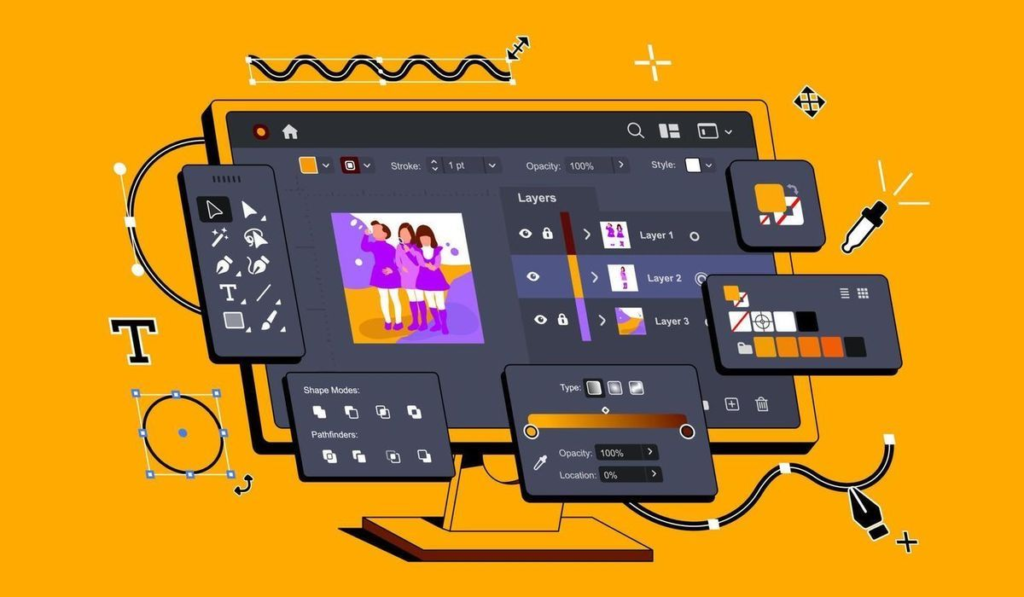
Video editing is the process of selecting, arranging and enhancing video footage to create a complete visual story.

Practical Training
Expert Trainers
Placement Assistance
2500+ Students Trained Successfully

Video Editing Course Overview

The Video Editing Course in Marathahalli, Bangalore is designed to help students and aspiring content creators develop professional video editing skills through practical, project-based training. The course covers the complete video editing workflow, from importing and organizing raw footage to cutting, sequencing, audio editing, colour correction, visual effects and final video export.

Students learn how to create engaging videos for YouTube, Instagram, social media, advertisements, corporate communication, digital marketing and other digital platforms. The training focuses on both technical editing skills and creative storytelling so learners understand not only how to use editing software, but also how to create videos that communicate effectively.

The course is suitable for beginners as well as learners looking to upgrade their existing editing skills. JBK Academy’s existing Video Editing curriculum similarly emphasizes raw-footage editing, transitions, effects, audio, colour correction and professional production workflows.
About Video Editing Course

Video has become one of the most important formats for communication, marketing and entertainment. From short-form social media videos and YouTube content to promotional videos and corporate presentations, organizations increasingly require skilled video editors.

The Video Editing Training at JBK Academy Marathahalli focuses on practical learning through editing exercises and real-world projects. Students learn how to organize footage, create timelines, perform professional cuts, synchronize audio, add transitions, enhance colours and prepare videos for different platforms.

The training also introduces creative techniques such as storytelling, pacing, motion effects, typography, sound design and visual enhancement.

By completing the course, learners can develop a portfolio of edited videos that can be used when applying for jobs, internships, freelance projects or content-creation opportunities.

Course Curriculum

Introduction to Video Editing
  • Introduction to Video Editing
    • Overview of video editing process and terminology
    • Introduction to video formats, resolutions, and codecs
  • Video Editing Software Overview
    • Introduction to popular video editing software (e.g., Adobe Premiere Pro, Final Cut Pro, DaVinci Resolve)
    • Understanding the interface, tools, and workflow
  • Setting Up a Project
    • Creating a new project and setting project settings (resolution, frame rate, etc.)
    • Importing media files (video clips, audio, images) and organizing assets
  • Basic Editing Tools
    • Timeline basics: Adding, cutting, trimming, and rearranging clips
    • Using the razor tool, ripple delete, and insert/overwrite edits
  • Transitions and Effects
    • Adding transitions (cuts, fades, wipes) between clips
    • Applying video and audio effects (color correction, filters, audio enhancements)
  • Audio Editing
    • Adjusting audio levels, applying fades, and using keyframes
    • Syncing audio with video, adding background music, and sound effects
  • Advanced Timeline Editing
    • Working with multiple video and audio tracks
    • Nesting sequences and using adjustment layers for global effects
  • Motion Graphics and Titles
    • Creating and animating text titles and lower thirds
    • Using graphics templates and creating simple motion graphics
  • Color Correction and Grading
    • Color correction techniques (exposure, white balance, saturation)
    • Color grading for mood and style (applying LUTs, creative looks)
  • Advanced Effects and Compositing
    • Green screen (chroma key) techniques for adding backgrounds
    • Creating visual effects (VFX) and compositing elements
  • Multicam Editing
    • Syncing and editing footage from multiple cameras
    • Switching angles and creating multicam sequences
  • Audio Mixing and Sound Design
    • Advanced audio editing (noise reduction, EQ, dynamics processing)
    • Creating audio mixes, applying audio effects, and mastering audio for final output
  • Export Settings
    • Understanding export formats and codecs
    • Setting up export presets for different platforms (YouTube, Vimeo, social media)
  • Finalizing Projects
    • Reviewing and previewing final edits
    • Exporting and delivering the final video project
  • Workflow Optimization
    • Project archiving and file management best practices
    • Collaborative workflows and sharing projects with others
  • Advanced Projects and Case Studies
    • Real-world project examples (short films, documentaries, corporate videos)
    • Applying learned techniques to create a final project or portfolio piece
  • Career Development
    • Freelancing as a video editor: Finding clients, pricing, and contracts
    • Job opportunities in film, television, advertising, and online media
  • Industry Trends and Emerging Technologies
    • Overview of virtual reality (VR) and augmented reality (AR) video editing
    • Introduction to 360-degree video editing and immersive storytelling

Why Jbk Academy Marathahalli Video Editing Course

JBK Academy Marathahalli follows a practical and career-focused training approach. The institute’s Marathahalli offering emphasizes hands-on learning, experienced trainers, real-time projects, career support and flexible classroom/online training

Who Should Join Advanced Excel Course

Students & Graduates

Job Seekers & Freshers

Working Professionals

Career Changers

Accounting Professionals

Freelancers & Consultants

WHY JBK ACADEMY?

Skills That Shape Your Future

Learn practical, industry-relevant skills through expert-led training, hands-on projects and structured learning designed to help you become career-ready.

Industry-Focused Training

Learn skills aligned with workplace requirements.

Expert Trainers

Learn through practical guidance from experienced trainers.

Hands-On Projects

Build practical experience through real-world assignments.

Career Support

Get resume, interview and career guidance.

Certification

Earn a certificate after completing your course.

Lifetime Support

Continue receiving technical guidance after training.

Companies That Hire Our Students

Connecting learners with opportunities across leading companies and growing businesses.

Our Students. Their Success.

Real learners, real skills, real career journeys. Explore the success stories of students who built their skills at JBK Academy and moved forward in their careers.

STUDENT EXPERIENCES

What Our Learners Say

Real experiences from students and professionals who trained with JBK Academy and built practical skills for their careers.

Frequently Asked Questions

Everything you need to know about courses, training, projects, certification and career support at JBK Academy Marathahalli.

What is a Video Editing Course?

A Video Editing Course teaches students how to transform raw footage into professional videos using editing software, creative techniques, audio, colour correction, effects and storytelling.

Students, graduates, freshers, content creators, YouTubers, digital marketers, freelancers and working professionals can join.

No. The training can start from the fundamentals and gradually progress to advanced editing techniques.

Yes. JBK Academy Marathahalli provides hands-on training with real-time examples and practical exercises.

Yes. The curriculum can include YouTube videos, Shorts, Reels, thumbnails, captions, audio editing and platform-specific exports.

Yes. Trainers have real industry experience and explain concepts in a simple and practical way.

Yes. JBK Academy Marathahalli offers both classroom training and online training options.

Yes. A course completion certificate is provided after successful completion of the training.

Course duration depends on the course selected. Short-term and long-term options are available.